

AI message generation allows you to create a first draft of an email’s content based on your instructions. You can specify the message objective, target audience, desired tone, and elements to include. If a DiA context or brand kit has been configured, AI can also take it into account when generating the content.
The generated content must always be reviewed and validated before it is sent.
To learn more about how AI processes data, see The AI in Dialog Insight.
Limitations
- This feature is only available for Email actions in an AI-generated automated campaign. It is not available when creating an email manually.
- Image generation is not supported.
- Personalization is limited to simple elements, such as Hello [FirstName].
Generate email content
- In an AI-generated automated campaign, open an Email action.
- Click Generate your email with AI:
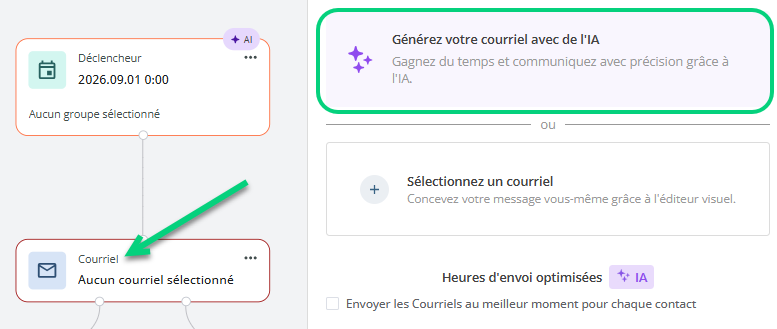
- Select a context if you have one.
- Describe the content you want by specifying, for example, the message objective, target audience, tone, and information to include.
- Answer the assistant’s questions, if necessary.
- Review the suggested content, then request changes until it meets your needs.
- Create the message, then review its layout, links, personalization, and content before using it.
Important: Always verify the accuracy of the content, links, personalized information, and compliance of the message before sending it.