

AI-powered group generation can help you create a contact group more quickly from a natural-language description. You describe the audience you want to target, and AI suggests segmentation conditions based on the data available in your project.
AI-generated results should always be reviewed before being used in a campaign or any other targeting activity. To learn more about how AI processes data, see The AI in Dialog Insight.
Before Starting
Before generating groups with AI, you can create a context. This step is optional. A context provides AI with information specific to your organization that it should consider when generating groups.
→ Learn more about creating contexts
Create a Group Using AI
1. Go to Contacts → Targeting → Groups and click Create a Group.
2. Click Generate with AI in the upper-right corner.
3. Select a context. This step is optional:
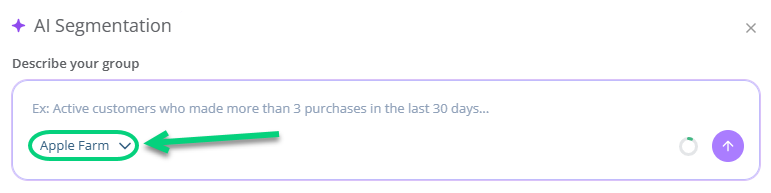
4. Describe the audience you want to target:

5. Review the conditions suggested by AI. If the result does not match your intent, you can edit the conditions manually or rephrase your request.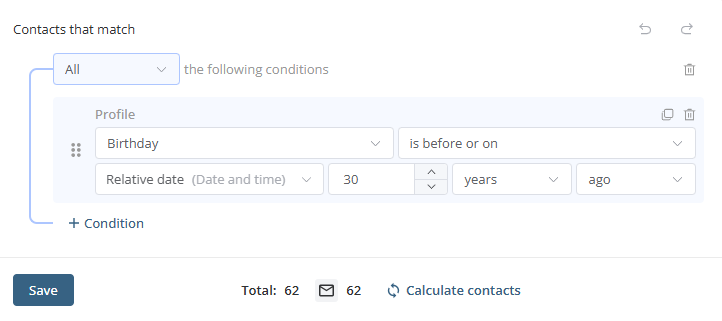
AI may interpret an overly vague request differently than intended, select a field that does not exactly match your needs, omit an exclusion that was not clearly stated, or be limited by the data available in your project.
For groups related to consent, communication preferences, or important automations, always review every condition before using the group. AI speeds up group creation, but it does not replace your validation.
Make sure to check the following:
- the fields used
- the operators
- the values
- the time periods
- the exclusions
6. Click Create.
7. Check the number of targeted contacts.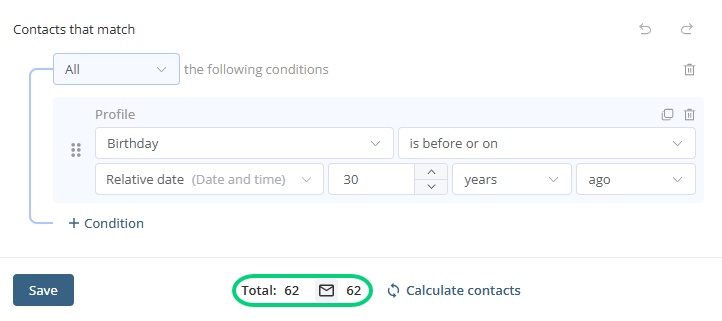
Tips for Writing an Effective Prompt
For better results, be specific. When relevant, include:
- the language
- the contacts’ location
- the subscription status
- the preferences
- email open or click behavior
- the purchase history
- the time period to consider
- important exclusions
Examples of good prompts
- Create a group of French-speaking contacts who live in Quebec.
- Create a group of contacts who opened at least one email in the past 90 days.
- Create a group of customers who purchased a product from the outdoor category in the past 12 months.
- Create a group of contacts interested in events, excluding those who are already registered for the September webinar.
What to avoid
- Creating a group using information that is not available in the project. For example, do not ask AI to create a group targeting parents if the project does not contain a field indicating whether a contact has children.
- Writing a vague request. For example: “Create a group of my best customers.” Instead, define what makes someone a good customer: “Create a group of contacts who made at least three purchases in the past 12 months and opened at least one email in the past 90 days.”