

I want to modify data for one contact
To modify the data of only one contact, you can do it manually using that contact's profile.
I want to modify the value of several fields for several contacts
If you have to do more complex modifications involving several fields and several contacts, it is recommended to use an import file to do an update.
I want to modify the value of one field for several contacts

You can also modify the data of contacts targeted by a Group. Go in the group edition and click Targeting: Then, you can select the contacts to modify: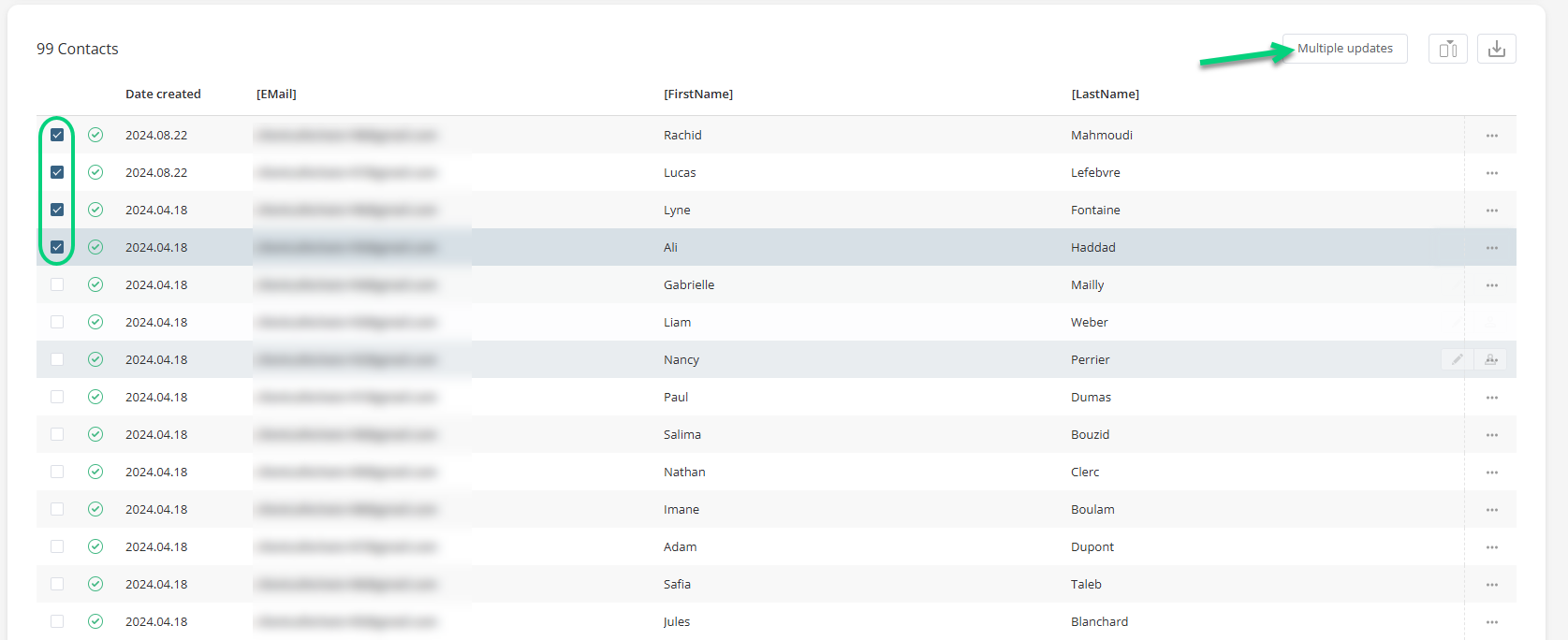
You can use custom tables to update contact data. This option is used to add or update the value of a field from a custom table for several inputs at the same time.
| If you have a CDP structure, you must modify the contacts in the source project. |
You could also add a default value for empty fields. This way, you don't have to manually fill out that value for every contact. For example, you could put the default value "English" for the Language field: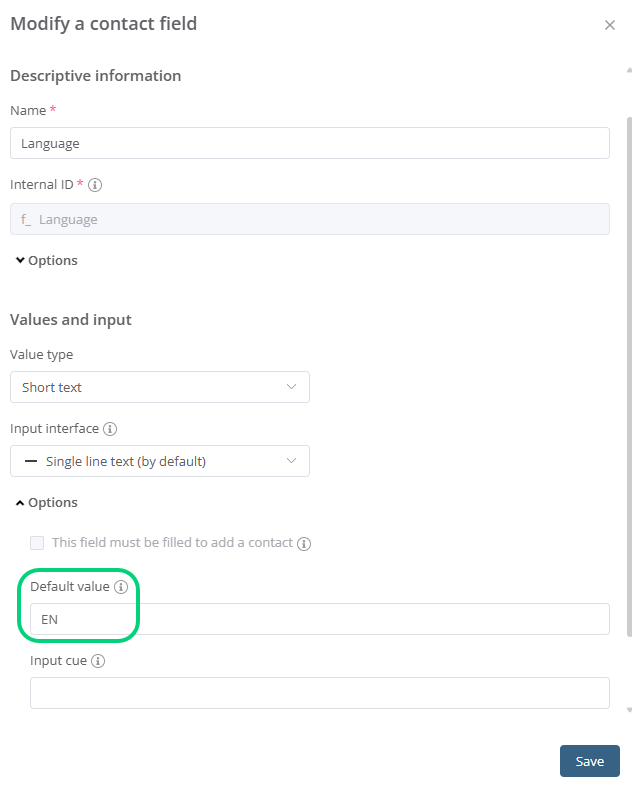 For more info, consult the article on project fields.