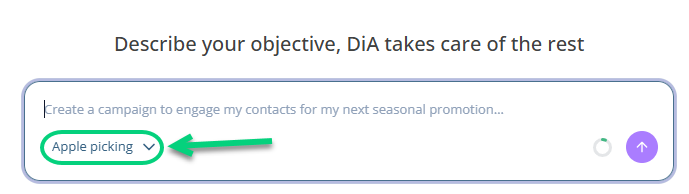
A DiA context brings together key information about the organization (industry, offering or product, target audience, tone, business rules, exclusions, etc.) so that AI can generate content tailored to your reality rather than generic results. You can create multiple contexts within the same project (for example, one per brand, market, or product line) and select the appropriate one in the AI conversation interfaces (learn more about AI features). Configuring a context is optional: these interfaces work without one, but the results will be less personalized.
Step 1: Create a context
1.1 Go to Project → Other configurations → DiA Context.
| If you have a CDP structure, pay attention to the level at which you create your context. In a unified or middle project, you will have access to all contexts available at the lower levels. Conversely, from a source (child) project, you will only have access to the contexts created in that project. |
1.2 Complete the fields for your context: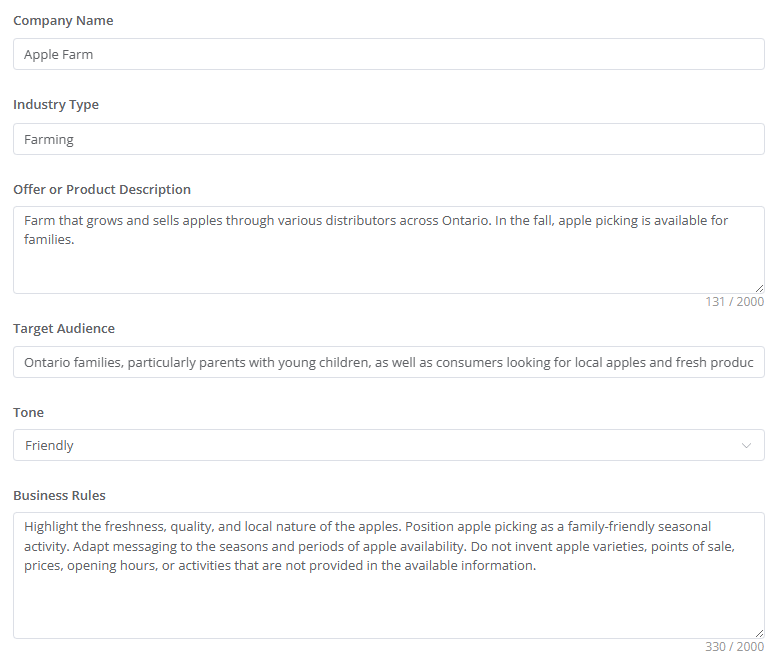
Step 2: Set the default context
If you have multiple contexts, select the one to use by default by clicking Use by default: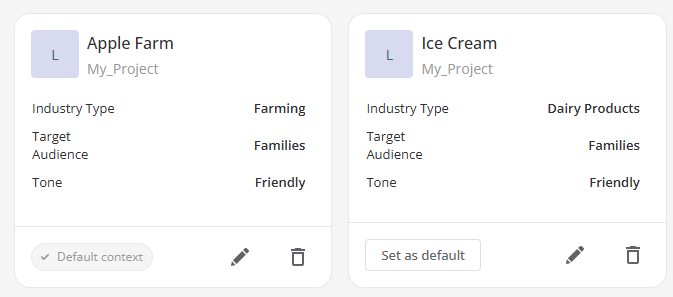
Step 3: Select the context
When using an AI generation feature, such as campaign or email content generation, you can select the context to use for your campaign.